
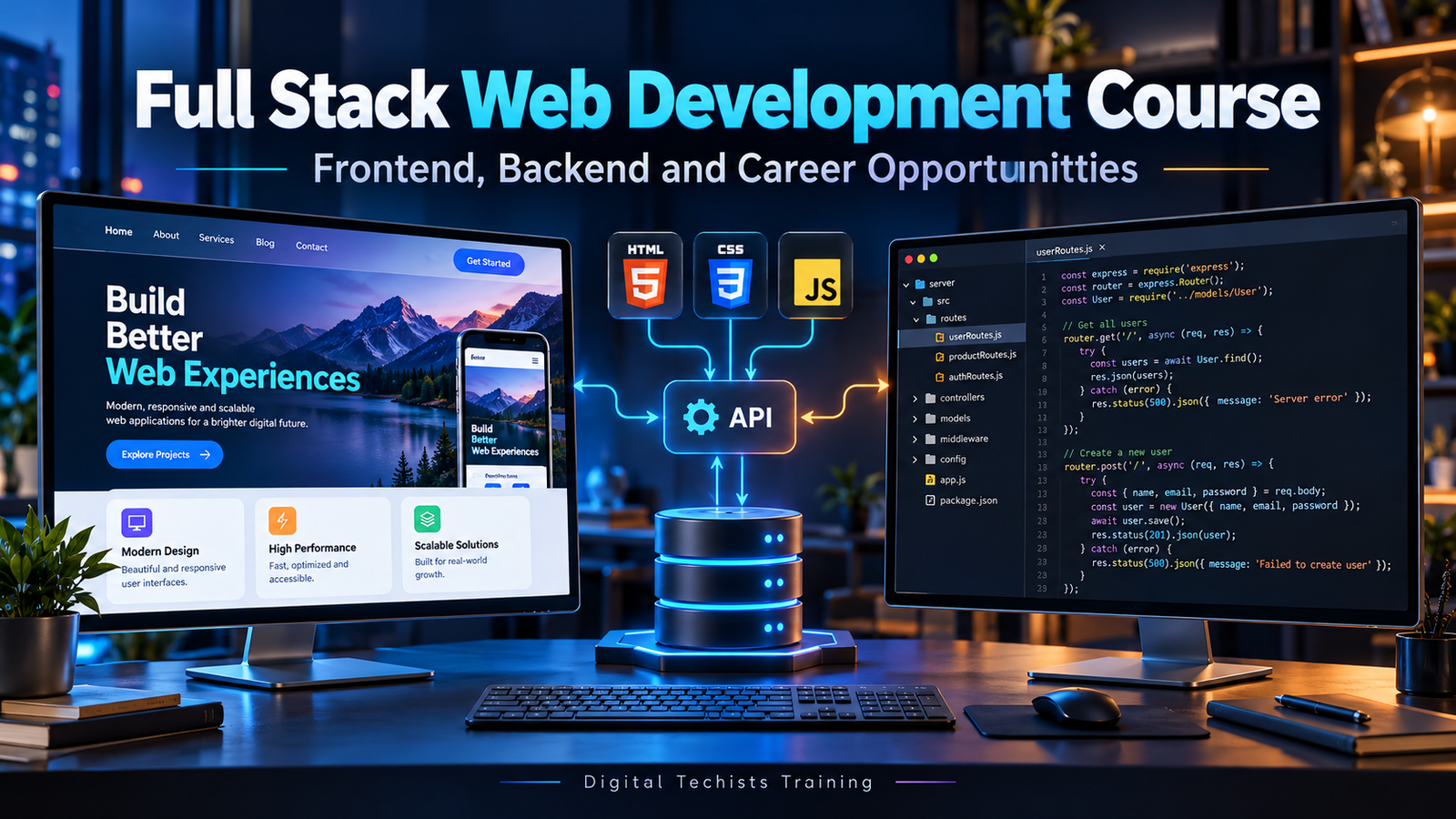
When you visit a website, you usually notice its design first. You see the navigation, images, buttons and forms. But a working web application involves much more than its appearance.
Someone needs to process requests, organise information, manage user access and make sure different parts of the system communicate correctly.
Table of Contents
Full stack web development brings these areas together. It involves working across the frontend, backend and database of a web application.
For students and career changers, learning these skills can provide a broader understanding of how digital products work. For existing website professionals, it can open a path towards building more customised applications.
However, choosing a full stack web development course requires more than comparing lists of technologies. You need to understand what you will learn, how you will practise and which responsibilities interest you.
This guide explains the learning path, essential skills, project ideas and career directions you can explore.
What Is Full Stack Web Development?
Full stack web development means working across the main layers of a web application.
The frontend provides the interface people interact with. The backend processes requests and applies application rules. The database stores and organises information.
Imagine a course registration website. Visitors browse programmes, create accounts and submit applications. Administrators review submissions through a separate dashboard.
The interface displays available courses. Backend code checks submitted information and determines permitted actions. The database stores users, courses and registrations.
These components work together to support the complete experience.
A full stack developer learns how to connect them. This does not mean becoming equally expert in every technology immediately. It means developing enough understanding to build features across the system and recognise where further expertise is needed.
Frontend, Backend and Database: The Difference
Understanding each layer helps you make sense of a course syllabus.
| Layer | Main responsibility | Example |
|---|---|---|
| Frontend | Present information and support user interaction | Displaying a registration form |
| Backend | Process requests and enforce application rules | Checking whether registration is allowed |
| Database | Store and retrieve structured information | Saving the registration record |
A problem can occur in any layer.
A button may fail because its frontend event is incorrect. A request may reach the server but fail validation. A valid request may still encounter a database connection problem.
Learning the relationships between layers helps you investigate these issues systematically.
It also improves communication when you work with designers, developers and other team members.
What Is Frontend Development?
Frontend development focuses on the part of a website or application that runs in the browser.
It includes layout, navigation, forms, interactive elements and the presentation of information. HTML, CSS and JavaScript are core browser technologies used for this work.
Frontend quality affects whether people can complete their tasks.
A registration form should have understandable labels, useful error messages and a layout that works on a small screen. A navigation menu should be usable with different input methods.
An attractive interface is valuable, but appearance alone is not enough.
A frontend developer must consider accessibility, loading behaviour and what users see when information is unavailable or a request fails.
HTML: Building a Clear Structure
HTML provides the structure and meaning of webpage content.
You use it to define headings, paragraphs, links, lists, images and forms.
A beginner course should teach more than placing elements on a page. You should understand how the structure helps browsers, assistive technologies and users interpret content.
For example, a form field needs an appropriate label. A navigation link should point to a meaningful destination. Headings should reflect the organisation of the page.
Start by building simple pages without unnecessary tools.
A clearly structured webpage gives you a stronger foundation for styling and interaction later. It also makes problems easier to identify when the application becomes more complex.
CSS: Creating Responsive Layouts
CSS controls how web content is presented.
It defines spacing, colours, typography, alignment and layout behaviour across screen sizes.
In a practical web development course, you should learn the box model, selectors, layout techniques and responsive design.
Build a page that works with real content rather than only a short sample heading. Test long titles, multiple cards and different image proportions.
A layout should remain usable when text wraps or the viewport becomes narrow.
Consistent styling also matters. Reusable patterns for buttons, forms and spacing make a project easier to maintain.
The goal is to create a dependable visual system that supports the content.
JavaScript: Adding Behaviour and Logic
JavaScript adds interactive behaviour to websites and supports application logic.
You may use it to respond to events, update content, validate input and request information from a server.
Begin with variables, functions, arrays, objects and conditions. Then practise working with the page and handling asynchronous operations.
For example, a course search interface might send a request and display matching results. It also needs a loading state, an empty result message and a useful response when the request fails.
These details help turn a demonstration into a usable feature.
Do not rush through JavaScript simply to reach a framework. Strong fundamentals make later tools easier to understand and troubleshoot.
Learning a Frontend Library Such as React
A full stack development course may introduce React or another interface technology after the fundamentals.
React is a JavaScript library for building user interfaces from components. Components let you organise parts of an interface with their associated appearance and logic.
For example, a course listing could contain reusable course cards, filters and pagination controls.
A useful learning programme should explain how data moves between components and how interface state changes.
You should also practise forms, navigation and communication with a backend.
Understanding why a component exists is more useful than splitting every small piece of markup into a separate file.
Build patterns that make the application easier to understand.
What Is Backend Development?
Backend development concerns the server-side parts of an application.
Common responsibilities include processing requests, validating information, retrieving records and checking user permissions. These are typical operations in dynamic web applications.
Consider a registration form. Frontend checks can help users correct mistakes, but the backend must independently validate submitted data.
It should also prevent users from performing actions they are not authorised to perform.
Backend work involves deciding how the application responds when something goes wrong.
A useful course should teach clear response handling, safe data access and organised application logic alongside the basic steps needed to start a server.
Backend Technologies and Frameworks
Different courses use different backend technologies.
A JavaScript-focused programme may use Node.js with a framework such as Express. Other programmes may use Python, PHP, Java or another language.
Node.js is a JavaScript runtime that allows JavaScript to run outside the browser, including for server-side development. It is not itself a programming language.
A framework provides conventions and tools for common application tasks.
The important question is not whether a course teaches every backend option. It is whether you develop a solid understanding of requests, responses, validation, access control and application structure.
Learn one approach properly before repeatedly switching between technologies.
Databases and Data Modelling
Most useful applications need to remember information.
A database may store users, products, appointments, orders or course registrations.
Database learning should begin with the structure of that information. What belongs in a record? Which fields are required? How do records relate?
For example, a registration should reference the relevant learner and course rather than repeatedly copying all their details.
Courses may introduce relational databases such as MySQL or PostgreSQL, or document databases depending on the selected stack.
Learn to retrieve, create, update and delete information safely.
Also consider constraints and invalid states. Preventing inconsistent data is part of application development, rather than a separate task to address later.
APIs: Connecting the Application
An API provides a defined way for software components to communicate.
In a typical learning project, the frontend sends a request to a backend endpoint. The backend processes it and returns a response.
For example, requesting a list of courses could return structured data that the frontend displays.
A practical course should cover request methods, response statuses, data formats and error handling.
You should also learn to distinguish a successful network request from a successful business action.
An application might receive a response but still need to tell the user that registration is unavailable.
Clear API behaviour helps both the interface developer and anyone maintaining the backend.
Authentication and Authorisation
Authentication establishes identity. Authorisation determines what an identified user is permitted to do.
A learner may be allowed to view their own registrations, while an administrator can review applications from multiple users.
These permissions must be enforced on the server. Hiding an administrative button does not protect an administrative action.
A full stack course should introduce established approaches to account management and secure credential handling.
You should also practise situations such as expired sessions, invalid sign-in attempts and requests for another user’s information.
Avoid treating a working login screen as a completed security system. The important behaviour extends across every protected resource and action.
Testing, Debugging and Deployment
Development continues after a feature first appears to work.
Testing checks whether the application behaves correctly in relevant situations. Debugging helps identify why observed behaviour differs from expectations.
Begin with practical cases: missing fields, unavailable records, repeated submissions and unauthorised requests.
Deployment introduces another set of responsibilities. Your application needs suitable configuration, environment variables and access to its required services.
You should know how to inspect logs and verify the deployed application.
A useful course includes this complete journey. Building locally is valuable, but publishing and investigating a running application teaches you how its components behave outside the development environment.
Git and Working with Other Developers
Git helps track changes to project files and supports collaboration.
Learn how to create meaningful commits, work with branches and review differences before combining changes.
A repository should also contain clear setup instructions.
Document required configuration without publishing passwords or private keys.
For team projects, agree on how work is divided and how changes will be reviewed.
You do not need a complicated process for a small learning project. You do need enough structure to understand what changed and why.
These habits help when another person needs to run your application or when you return to it after several weeks.
Who Can Join a Full Stack Web Development Course?
A beginner programme may suit students, graduates, career changers and professionals who want stronger application development skills.
Prior coding experience can help, but it should not be assumed if the course is advertised for beginners.
You will benefit from basic computer confidence, patience and a willingness to practise independently.
People from non-technical backgrounds can learn web development, provided the teaching sequence introduces concepts clearly.
Existing WordPress or website professionals may already understand layouts and client requirements. They may need more practice with programming, APIs and databases.
Choose training based on your starting point rather than comparing yourself with someone who has different experience.
A Practical Full Stack Learning Roadmap
Begin with HTML and CSS. Build responsive pages that use realistic content.
Next, learn JavaScript fundamentals and interactive browser behaviour.
After that, introduce a frontend library if it supports the course projects.
Move into backend development by creating simple endpoints and understanding requests and responses.
Add a database and connect it to your application. Then introduce authentication and role-based permissions.
Throughout the process, use Git, write documentation and test important behaviour.
Finish with a deployed project that combines these skills.
This sequence gives each new topic a purpose. You can see how it improves something you have already built rather than collecting disconnected examples.
Portfolio Projects That Demonstrate Your Skills
Choose projects with clear requirements and manageable scope.
Course Registration Application
Display programmes, accept registrations and provide an administrative review interface.
Appointment Booking System
Show available appointments and handle booking rules. Consider what happens when two requests target the same slot.
Inventory Application
Manage items and record stock changes with appropriate permissions.
Task Management Application
Support user accounts, task ownership and status updates.
For each project, explain the data model, access rules and important test cases.
Include setup instructions and known limitations.
A smaller application you can explain thoroughly provides more useful evidence than a large tutorial project whose behaviour you do not understand.
Career Opportunities After Full Stack Training
Full stack learning can support several development directions.
You may pursue frontend development if you enjoy interfaces and interaction. Backend development may appeal if you prefer application rules, data and system behaviour.
Junior full stack roles can involve contributions across these layers, depending on the team.
Other opportunities may involve web application maintenance, integrations or internal business tools.
Your first position may focus on a narrower set of responsibilities than the course covers. That can help you develop depth while retaining an understanding of the wider application.
Job titles vary, so compare actual responsibilities with your skills and projects.
Course completion alone does not establish readiness for every role.
Freelancing and Client Projects
Full stack skills can also support freelance application work.
Possible projects include customer portals, dashboards, booking systems and custom administrative tools.
However, freelance delivery requires more than technical implementation.
You need to clarify the scope, estimate effort, manage revisions and explain ongoing maintenance.
A seemingly simple feature can involve permissions, data migration or integration requirements that affect the whole application.
Start with projects you can reasonably support.
Document who is responsible for hosting, backups, updates and access management.
A successful handover means the client understands how the application should be operated and how future issues will be handled.
How to Choose the Right Course
Review the teaching approach as carefully as the syllabus.
Ask whether you will complete exercises independently and receive feedback.
Check that the programme connects frontend, backend and database work in a complete project.
Look for responsive design, accessibility, permissions, testing, Git and deployment.
Understand how much practice is expected outside class and whether additional tools or hosting involve separate costs.
If career assistance is offered, ask what it includes rather than assuming placement is guaranteed.
Choose a programme with clear outcomes. You should know what you are expected to build and explain by the end.
Common Mistakes to Avoid
One mistake is moving through frameworks before understanding basic JavaScript.
Another is copying code until the application works without investigating why it works.
Avoid testing only the expected route. Invalid input, failed requests and unauthorised actions deserve attention.
Do not leave documentation and deployment until the final day.
Also avoid collecting unfinished projects. Completing one application, improving its weaknesses and explaining its decisions can teach you more than repeatedly starting something new.
Finally, measure progress by increasing independence. Ask whether you can build a feature, identify a problem and communicate your reasoning with less help than before.
Conclusion: Learn the Complete Application Journey
A full stack web development course can help you understand how interfaces, server logic and databases work together.
Begin with strong fundamentals, then build complete projects that include validation, permissions, testing and deployment.
You do not need to master every technology immediately. Focus on understanding one stack and developing the habits needed to maintain your work.
As your experience grows, you can specialise according to the problems you enjoy solving.
To explore web development training and discuss a suitable learning path, visit Digital Techists Training and enquire about course options that match your experience and career goals.
FAQs
What does a full stack web development course cover?
It typically covers frontend development, backend programming, databases and connecting those layers. A complete programme should also introduce Git, testing, access management and deployment.
Can beginners learn full stack development?
Yes. Choose a course that begins with web and programming fundamentals. Consistent practice outside class is important for developing confidence.
Do I need to learn frontend before backend?
You can approach development in different ways, but basic frontend knowledge helps you see how users interact with an application before connecting it to server-side functionality.
Is JavaScript enough to become a full stack developer?
JavaScript can be used in the browser and on the server, but you also need HTML, CSS, databases, networking concepts and development practices.
Is full stack development the same as website design?
No. Website design focuses on the experience and visual presentation. Full stack development also involves application logic, data storage, access rules and system integration.
How long does it take to learn full stack development?
The timeline depends on your starting knowledge, course depth and practice schedule. Completing lessons is different from building and troubleshooting applications independently.
Can a course guarantee a developer job?
No. Employment depends on several factors, including demonstrated skills, communication, available roles and interview performance. Training can help you prepare.
What should I include in my developer portfolio?
Include working projects, clear descriptions, setup instructions and an explanation of your decisions. Show relevant testing, permissions and limitations rather than only interface screenshots.